---
title: "iris, the AI assistant built into incwo - incwo"
url: "https://go.incwo.com/en/pme-franchises/ia/"
description: "iris answers your questions, guides you through incwo and prepares the operations you approve. Plus the writing AI: summaries, corrections, translations, transcription."
lang: "en"
modified: "2026-11-02T17:56:09"
---
# iris, the AI assistant built into incwo - incwo
*Built-in AI assistant*
## iris, the AI assistant that works inside incwo
iris lives in the right-hand bar of your incwo. You talk to it like a colleague: in plain language, with no forms and no jargon.
It answers, it guides you, and it prepares the operation for you to approve.
[test it now](https://www.incwo.com/account/new_account?plan=freetrial)
[Request a demo](https://go.incwo.com/en/demande-demonstration-personnalisee/)
> **Vous** : How do I record a down payment on an invoice?
> **iris** : On the invoice, open the Payments tab, then Add a payment and tick Down payment.
> I can also enter it for you: just tell me the amount.
> **Vous** : €500 received today, by bank transfer.
> **iris** propose : €500 down payment — invoice F2501-00058 — Bank transfer payment, dated today, applied to the invoice. (Approve / Edit)
> **iris** : Down payment recorded.
## What iris can do for you
## Answer your questions
About incwo and about your business, using the context of the screen you are on.
## Guide you step by step
Not sure where to start? iris was trained on the incwo interface and shows you the way.
## Take action
iris offers to carry out the operation for you. Nothing happens without your confirmation: you stay in control from end to end.
## Understand an image
Send it a screenshot or a photo: iris takes it into account in the conversation.
## Where to find iris
In incwo, click the “sparkles” icon (AI help) in the menu bar: iris opens in the right-hand bar, one click away and never in your way. It is available in your account right now.
[test it now](https://www.incwo.com/account/new_account?plan=freetrial)
## And in every screen, incwo’s writing AI
## Communication
Corrections, adapted tone and translations for professional exchanges
## The essentials at a glance
Synthesis, transcription and analysis of historical data for a clearer picture
## Increased reactivity
Summaries and assisted writing for faster, more effective responses
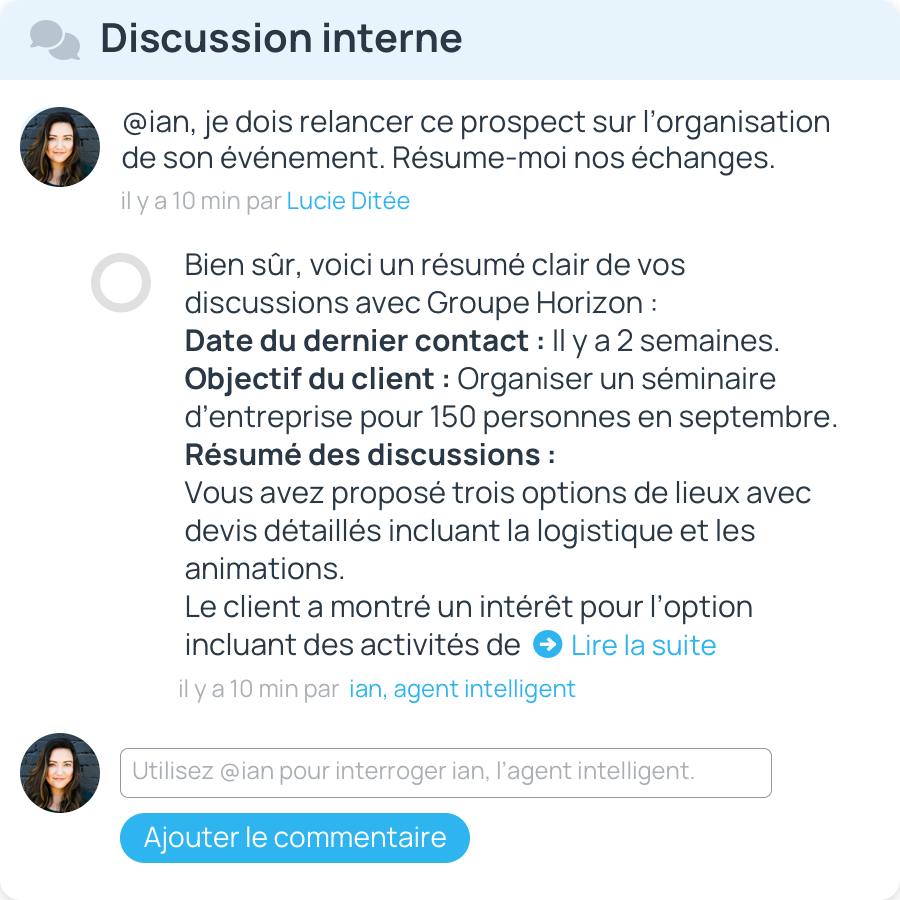
## Instant summaries for optimal customer care!
incwo's AI analyzes conversations and generates clear, accurate summaries. Stop wasting time re-reading endless threads or digging through your history: ask for a summary!
- **Direct access to key information**, to anticipate needs and improve customer relations
- **Be responsive** and demonstrate that you fully understand the issues facing your contacts.
[Request a demo](https://go.incwo.com/en/demande-demonstration-personnalisee/)
[Contenu intégré](https://go.incwo.com/wp-content/uploads/2025/04/animation.mp4)
## Assisted editing for perfect writing!
Improve your texts in a few clicks to make a good impression with every piece of writing:
- **Advanced proofreading** : Goodbye mistakes! AI checks and corrects grammar and spelling for impeccable writing.
- **Optimized style** : the right tone and style to reflect your intentions, whether formal, warm, friendly or persuasive.
[test it now](https://www.incwo.com/account/new_account?plan=freetrial)
[Contenu intégré](https://go.incwo.com/wp-content/uploads/2025/04/animation-5.mp4)
## Effective, borderless lyrics!
Use smart, multilingual tools to compose your texts.
- **Adapted length** : the AI synthesizes or details the content to refine and reinforce the message's main ideas.
- **Multilingual translation** : no more language barriers! Communicate easily with your international partners. AI translates for you!
[Request a demo](https://go.incwo.com/en/demande-demonstration-personnalisee/)
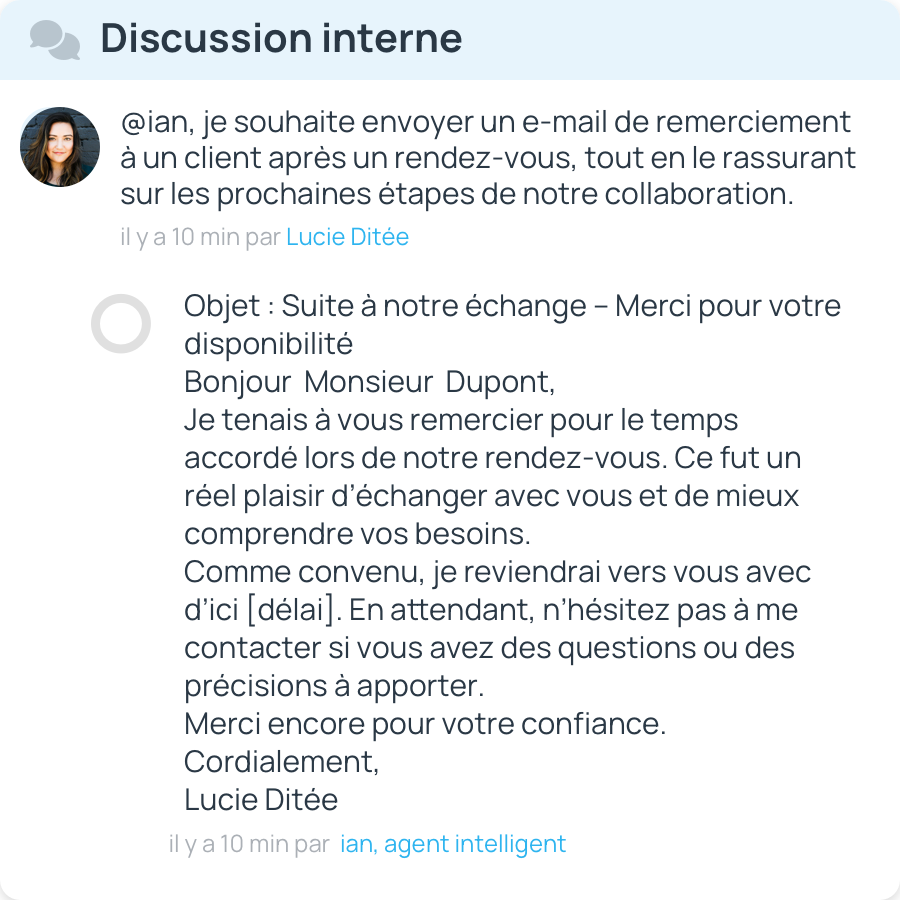
## Professional messages in seconds!
Whether for an email, a sales proposal, a report or a social media post, AI simplifies your daily work:
- **Rapid copywriting** : Express your ideas and let AI transform your intentions into fluent, relevant texts, effortlessly.
- **Save time** : adapt your messages to each recipient or situation for professional content and maximum impact, in record time!
[test it now](https://www.incwo.com/account/new_account?plan=freetrial)
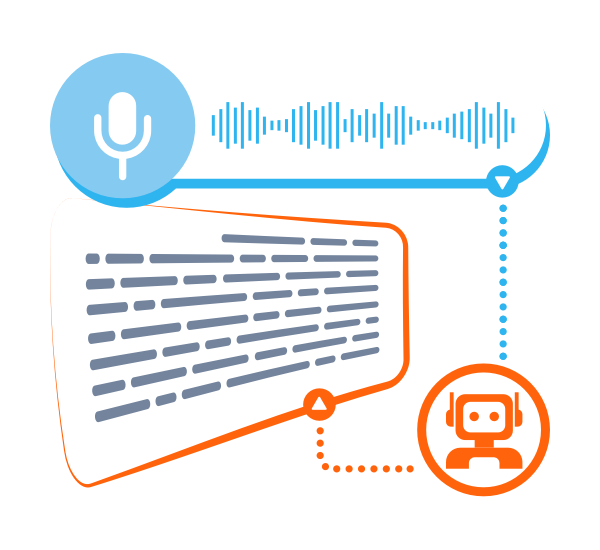
## Effortless notes with audio transcription!
Call a colleague by audio or video from incwo, and the AI transcribes the conversation!
- **No more note-taking!** Turn on transcription before starting the call: the text of the conversation stays available in the call history.
- **Save time!** Find a detail, pick up a topic or hand over a file from a complete and faithful record.
- **Your recordings too!** Upload the audio of a call or a video meeting, and the AI transcribes it.
[Discover “On s’appelle”, the calls built into incwo](https://go.incwo.com/blog/on-s-appelle-l-audio-et-la-visio-font-leur-entree-dans-incwo/)
[Request a demo](https://go.incwo.com/en/demande-demonstration-personnalisee/)
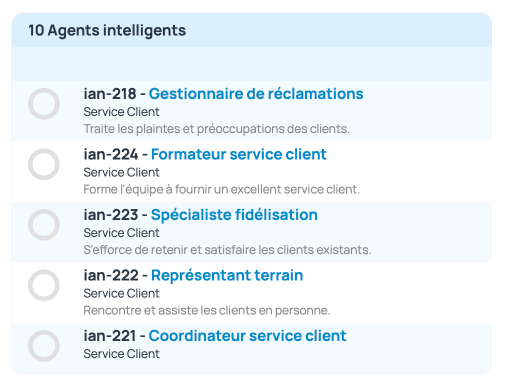
## Specialized AIs to strengthen your expertise
La team IA d’incwo, c’est 220 agents intelligents dotés de compétences métiers spécifiques pour professionnaliser vos contenus.
- **Meet IA experts** in communications, business development, legal and accounting, and much more.
- **Submit** your questions, objectives, needs, proposals, letters or documents **to the AI agent** for analysis. The AI optimizes them to reflect your intentions!
[test it now](https://www.incwo.com/account/new_account?plan=freetrial)
## How do I invite an AI team agent?
Access **user accounts** from the configuration menu
Click on **Invite an intelligent agent**.
**Select the agent** you need and click on its name

Click on the **invite" button**
*Frequently asked questions
*
**Can iris act on its own inside my incwo?**
No. iris can offer to carry out certain operations, but nothing happens without your confirmation. You stay in control from end to end.
**Where can I find iris in incwo?**
iris lives in the right-hand bar of your incwo. To open it, click the “sparkles” icon (AI help) in the menu bar. It uses the context of the screen you are on to answer.
**How does AI improve CRM?**
AI simplifies your day-to-day management by automating tasks, synthesizing information and facilitating communication with your customers.
AI, integrated with CRM, is an asset available 24/7, boosting your efficiency internally and improving the customer experience externally.
It goes far beyond managing simple queries. Indeed, AI can scrutinize customer queries, suggest answers and draw up follow-up emails and sales proposals. What's more, its ability to synthesize conversions facilitates decision-making.
With immediate access to key information, the AI / CRM duo turns your opportunities into successes, while lightening your workload.
**Is incwo's built-in AI easy to use?**
Absolutely!
With incwo, access to AI is simplified. No API keys or technical configurations, everything is taken care of for you.
You don't need to be a prompts expert either. incwo's intuitive interface guides you to make the most of AI, right from the start.
As soon as you are in a note-entry area, the "IA" button appears. Click on it to display functions for summarizing and assisting with content composition, translation, etc.
incwo's AI has a name! it's called @ian
@ian is a virtual collaborator, integrating itself into your regular conversations and workflow with responsiveness and relevance.
You can easily interact with the AI:
- In your notes: Ask ian as you would a colleague. A simple "@ian" followed by your request and off you go.
- From anywhere in the software: Click on the floating button at bottom right, ask your question and choose the answer format that suits you best. ian is there, just a click away, ready to assist you.
**Is the AI in incwo safe for my data?**
Yes, your data remains confidential and protected by the strict security standards built into our platform.
**How much does incwo's built-in AI cost?**
Prepaid tokens for AI" available for purchase facilitate transparent, à la carte use
Take advantage of incwo's built-in AI at a low price: [See full price list](https://www.incwo.com/cash_deposits/prepaid_ai/[[FID]])
- 1,000,000 tokens €100.00 excl. tax Or €0.10 excl. tax per 1,000 tokens
- 5,000,000 tokens €450.00 excl. tax Or €0.09 excl. tax per 1,000 tokens
- 10 000 000 tokens 850,00 €HT Or 0,09 €HT per 1000 tokens
- 20,000,000 tokens €1600.00 excl. tax Or €0.08 excl. tax per 1,000 tokens