
OCR recognition of invoices and expense reports
No more typing up expense reports and supplier invoices!
With automatic OCR recognition, you can record your expenses in no time at all.
Prepaid tokens for OCR
OCR invoice analysis works with tokens
1 token = 1 purchase invoice or 1 expense report analyzed.
Automate the entry of your supplier invoices via OCR
Improve expense management and boost productivity!
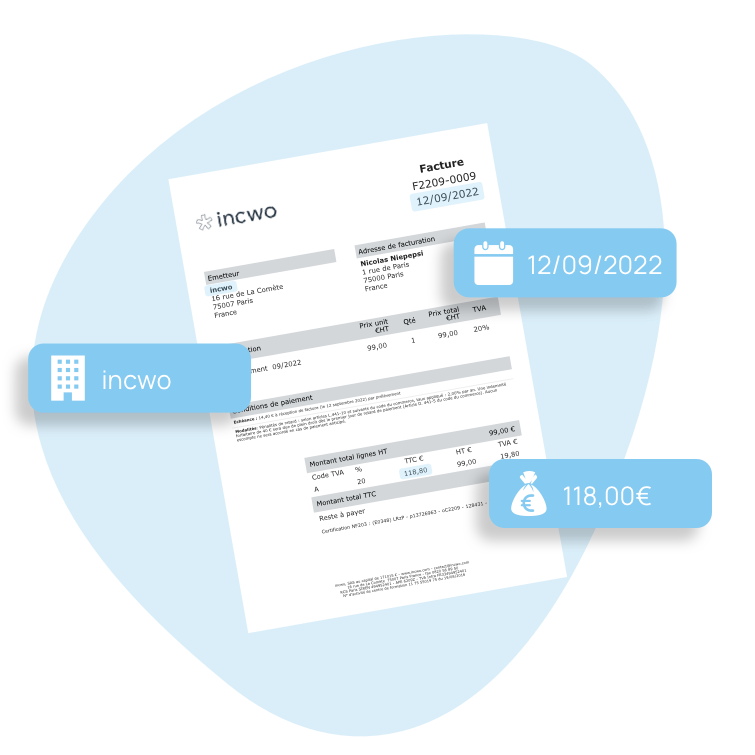
No more manual data entry, save your purchases automatically thanks to data extraction and OCR scanning.
OCR works for you and recognizes the various elements of your invoices, such as :
- Amount excl.
- amount incl. VAT
- VAT
- supplier name
- invoice date...
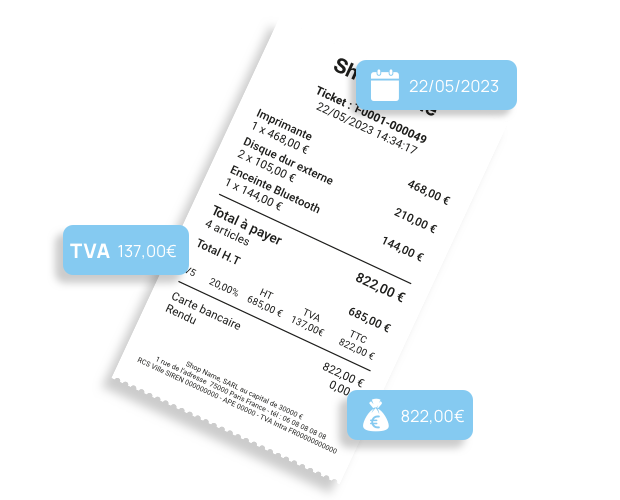
Save time entering expense reports
Speed up your expense management process with OCR. Digitize and deposit all expense receipts in your monthly expense report with a single click.
Each company employee automatically inserts his or her sales receipts or invoice receipts, paid in the course of business, on his or her own monthly expense sheet.
All expenses are automatically associated with the employee concerned. Amounts exclusive of tax, VAT and sales tax are identified for your reimbursement follow-up. Receipts are archived for control purposes.
How does it work?
Upload pdf of invoice to incwo

OCR analyzes the invoice and extracts data

Once the purchase has been created, you will be notified by e-mail

Check and validate your purchase
Frequently asked questions<br>
What is OCR?
OCR is a character recognition technique used to convert printed documents into digital data.
Thanks to this, OCR data processing can be used to scan PDF files, as well as Word, Excel or Txt (text) files, to read the content. What's more, this technique also enables data to be automatically transmitted and integrated into structured software.
How do I submit a supplier invoice to incwo?
First of all, every incwo management application has a "Purchase inbox".
This "purchasing inbox" is your e-mail address for transmitting activity expenses.
Every supplier invoice sent to this email automates the generation of a purchase in your management system.
How?
- If you have subscribed to an OCR offer: the PDF of your supplier invoice, attached to your email, is read by the OCR system and creates a complete purchase with the amount before and after tax, VAT and the name of the supplier.
- If you have not subscribed to an OCR offer: sending a supplier invoice to your "purchase inbox" creates a new purchase to be completed. Your PDF data is not read.
What types of parts does OCR read?
The current version of incwo's integrated OCR reads invoices and receipts in PDF, PNG and JPG formats.
What data is processed automatically?
OCR will automatically identify and integrate the following data into incwo:
- Supplier name
- Invoice date
- Amount excl.
- Amount incl. VAT
- VAT amount
- Invoice subject
- Order reference
Once your file has been sent to your "inbox achat", you will receive a confirmation of processing. If any data is not readable, this message will inform you.
Who can deposit invoices in your application?
Anyone with your "inbox purchase" address!
This means that any employee making purchases using the company's payment methods can submit the invoice via the inbox, without having access to the purchasing management module.
Even better! Your suppliers can send their invoices directly to this address.
A real guarantee of automation and time savings for you!
How much does an ORC deposit cost?
Each PDF supplier invoice submitted costs a token to be processed by OCR.
You need to have tokens to have your PDF automatically converted into a completed purchase.
Can I test it for free?
Yes,
You get 50 free tokens, available immediately on your application, to discover this feature.