
Built-in AI assistant
iris, the AI assistant that works inside incwo
iris lives in the right-hand bar of your incwo. You talk to it like a colleague: in plain language, with no forms and no jargon.
It answers, it guides you, and it prepares the operation for you to approve.
How do I record a down payment on an invoice?
On the invoice, open the Payments tab, then Add a payment and tick Down payment.
I can also enter it for you: just tell me the amount.
€500 received today, by bank transfer.
iris suggests
€500 down payment — invoice F2501-00058
Bank transfer payment, dated today, applied to the invoice.
Down payment recorded.
Demo. iris suggests the operation: nothing happens without your confirmation.
What iris can do for you

Answer your questions
About incwo and about your business, using the context of the screen you are on.

Guide you step by step
Not sure where to start? iris was trained on the incwo interface and shows you the way.

Take action
iris offers to carry out the operation for you. Nothing happens without your confirmation: you stay in control from end to end.

Understand an image
Send it a screenshot or a photo: iris takes it into account in the conversation.
Where to find iris
In incwo, click the “sparkles” icon (AI help) in the menu bar: iris opens in the right-hand bar, one click away and never in your way. It is available in your account right now.
And in every screen, incwo’s writing AI

Communication<br>
Corrections, adapted tone and translations for professional exchanges
The essentials at a glance<br>
Synthesis, transcription and analysis of historical data for a clearer picture
Increased reactivity<br>
Summaries and assisted writing for faster, more effective responses
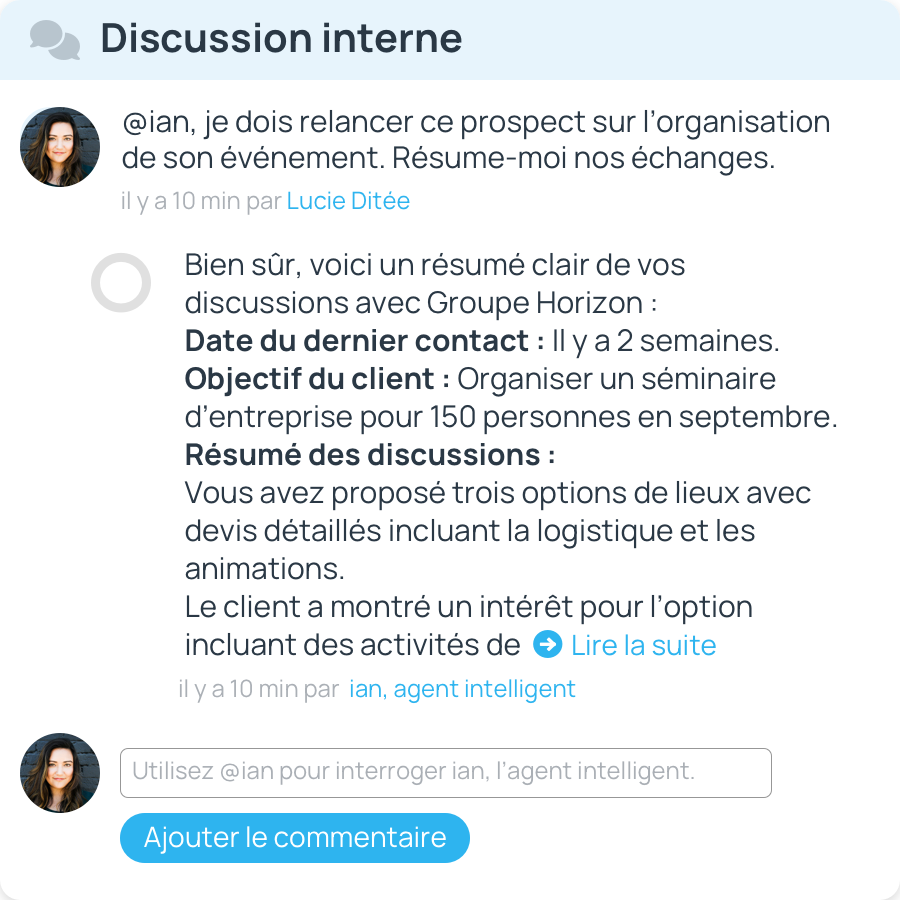
Instant summaries for optimal customer care!
- Direct access to key information, to anticipate needs and improve customer relations
- Be responsive and demonstrate that you fully understand the issues facing your contacts.
Assisted editing for perfect writing!
- Advanced proofreading : Goodbye mistakes! AI checks and corrects grammar and spelling for impeccable writing.
- Optimized style : the right tone and style to reflect your intentions, whether formal, warm, friendly or persuasive.
Effective, borderless lyrics!
- Adapted length : the AI synthesizes or details the content to refine and reinforce the message's main ideas.
- Multilingual translation : no more language barriers! Communicate easily with your international partners. AI translates for you!
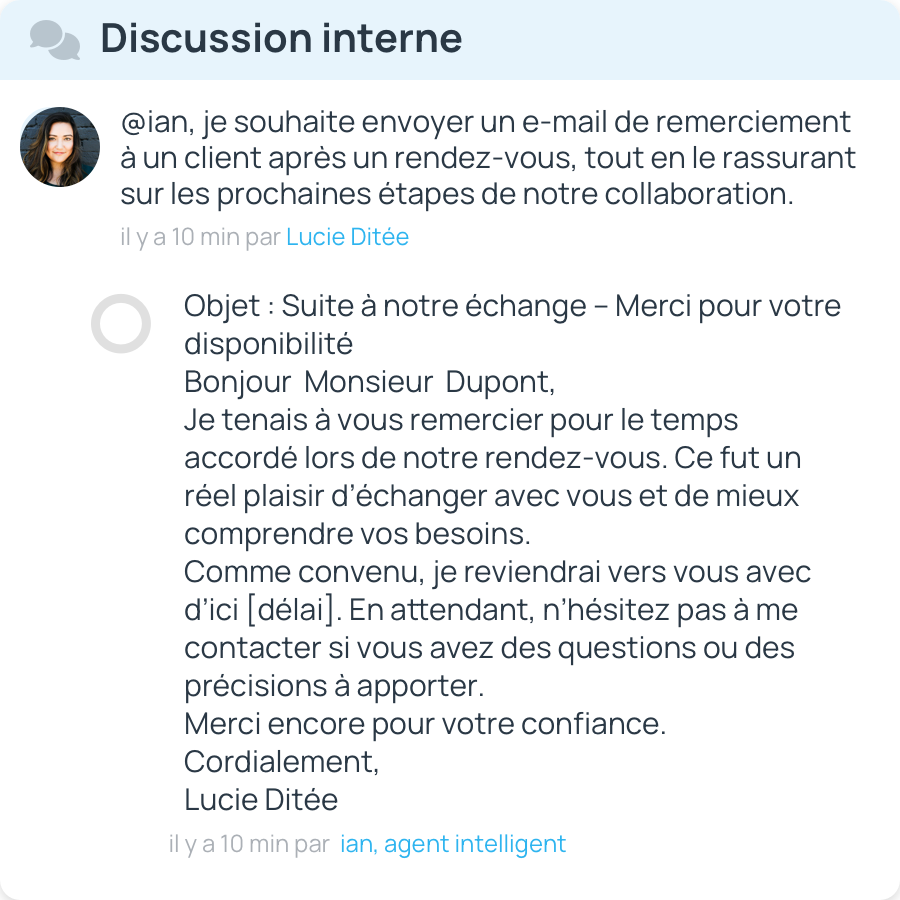
Professional messages in seconds!
- Rapid copywriting : Express your ideas and let AI transform your intentions into fluent, relevant texts, effortlessly.
- Save time : adapt your messages to each recipient or situation for professional content and maximum impact, in record time!
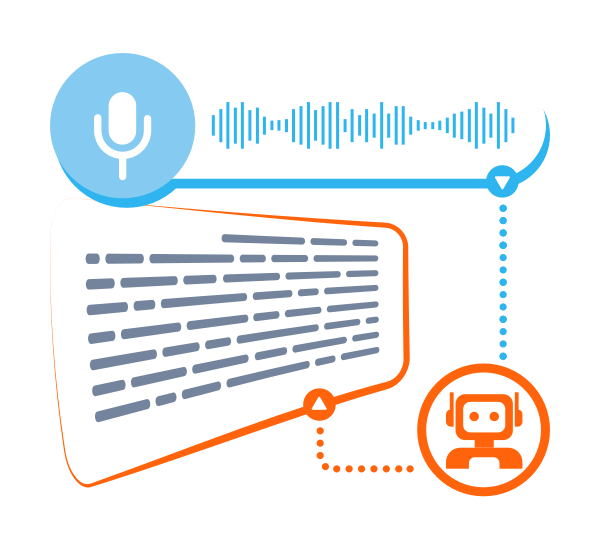
Effortless notes with audio transcription!
- No more note-taking ! Record your calls or the audio of a video call, and the AI will take care of transcribing them.
- Save time! Get complete, accurate reports, capturing every exchange.
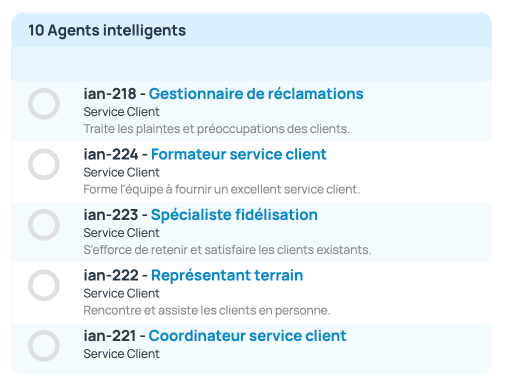
Specialized AIs to strengthen your expertise
- Meet IA experts in communications, business development, legal and accounting, and much more.
- Submit your questions, objectives, needs, proposals, letters or documents to the AI agent for analysis. The AI optimizes them to reflect your intentions!
How do I invite an AI team agent?

Access user accounts from the configuration menu

Click on Invite an intelligent agent.

Select the agent you need and click on its name

Click on the invite" button
Frequently asked questions<br>
Can iris act on its own inside my incwo?
Where can I find iris in incwo?
How does AI improve CRM?
AI simplifies your day-to-day management by automating tasks, synthesizing information and facilitating communication with your customers.
AI, integrated with CRM, is an asset available 24/7, boosting your efficiency internally and improving the customer experience externally.
It goes far beyond managing simple queries. Indeed, AI can scrutinize customer queries, suggest answers and draw up follow-up emails and sales proposals. What's more, its ability to synthesize conversions facilitates decision-making.
With immediate access to key information, the AI / CRM duo turns your opportunities into successes, while lightening your workload.
Is incwo's built-in AI easy to use?
Absolutely!
With incwo, access to AI is simplified. No API keys or technical configurations, everything is taken care of for you.
You don't need to be a prompts expert either. incwo's intuitive interface guides you to make the most of AI, right from the start.
As soon as you are in a note-entry area, the "IA" button appears. Click on it to display functions for summarizing and assisting with content composition, translation, etc.
incwo's AI has a name! it's called @ian
@ian is a virtual collaborator, integrating itself into your regular conversations and workflow with responsiveness and relevance.
You can easily interact with the AI:
- In your notes: Ask ian as you would a colleague. A simple "@ian" followed by your request and off you go.
- From anywhere in the software: Click on the floating button at bottom right, ask your question and choose the answer format that suits you best. ian is there, just a click away, ready to assist you.
Is the AI in incwo safe for my data?
Yes, your data remains confidential and protected by the strict security standards built into our platform.
How much does incwo's built-in AI cost?
Prepaid tokens for AI" available for purchase facilitate transparent, à la carte use
Take advantage of incwo's built-in AI at a low price: See full price list
- 1,000,000 tokens €100.00 excl. tax Or €0.10 excl. tax per 1,000 tokens
- 5,000,000 tokens €450.00 excl. tax Or €0.09 excl. tax per 1,000 tokens
- 10 000 000 tokens 850,00 €HT Or 0,09 €HT per 1000 tokens
- 20,000,000 tokens €1600.00 excl. tax Or €0.08 excl. tax per 1,000 tokens